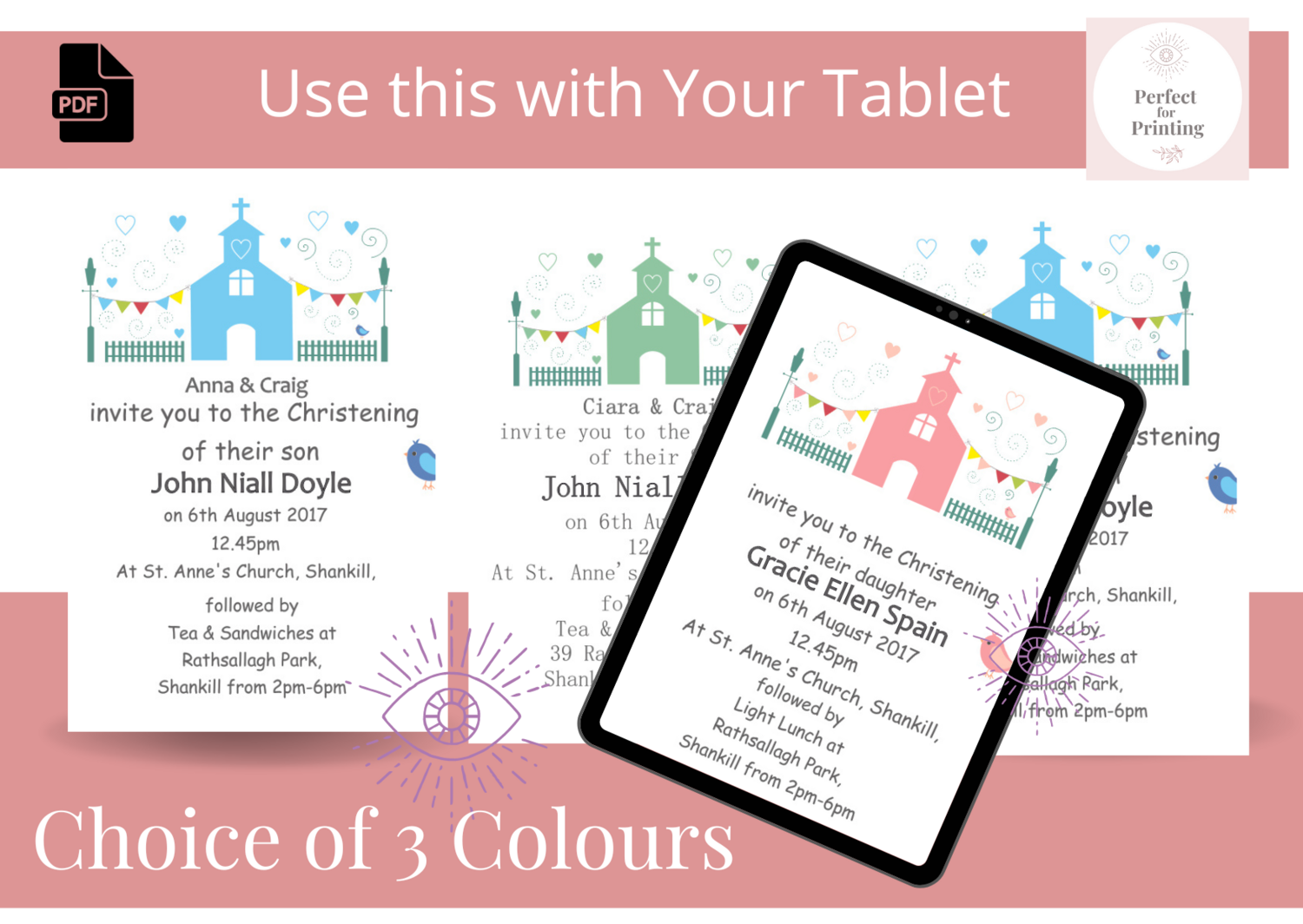
instant downloadable lovely Baptism invitation has a minimal and elegant design to fit in with any Baptism or Christening theme. It's easy to print at home, uses minimal ink so is cost effective. Perfect for boy, girl, twins or more baptisms, this template is easy to customize and can be printed on high quality paper.
Highlights
● Digital download
● Digital file type(s): 2 PDF
CANVA DIY TEMPLATE
This is an editable template, that you edit yourself using a free app CANVA is a graphic design application available online at www.canva.com. It is easy to learn and features an intuitive drag-and-drop interface that is perfect for editing. No software required, access your templates on any device (Phone, Computer, Tab).
WHAT'S INCLUDED:
• Invitation 4x4" 105mm x 105mm square - for printing
• Template so you can save paper and print 2 x Invitation on a page, saving paper and money 🙂
Description
Edit this elegant Baptismal invitation Template with your custom details and photos directly in CANVA. Absolutely no design skills needed! Fonts, sizes, and colors as shown in the photos are what will be delivered in this template.
Access your template within minutes of purchase and edit in CANVA. Wording, font and font color can all be edited, you can also add photos or a background color easily to match your event style.
WHAT YOU CAN DO
- Edit templates via Phone or in your Desktop/Laptop
- Save in JPEG, PNG or PDF
- Share the image socially, via text, or email
- You can also print them if you like! ♥ PRINTING
Christening-Baptismal Invitation - editable digital download - edit and print off
Purchase now to instantly receive your editable file download. Very Easy to use with Fantastic Results. Edit and then print as many as you want.
Party Invitations in a Downloadable Template. It's Instant, so No waiting! Edit NOW from home using your Pdf reader.
https://get.adobe.com/reader/
Edit your invitations right after purchasing!
☀No software download needed!!
☀Easy to use
☀Edit most text (" invite you to their Garden Party” is a graphic and cannot be edited)
☀Add text of choice here highlighted on your invitation
☀Save as a high quality JPG or PDF file
.............................................................................................................
☀WHAT’S INCLUDED☀
-Digital Party invitation or greeting card file (5x7)
Please note that you will not receive anything in the mail.
.............................................................................................................
❄HOW IT WORKS IN 3 EASY STEPS❄
1. After purchasing the listing, you will receive a downloadable editable PDF files, 2. Edit your files and save (you can save and come back to Pdf anytime to edit your files!)
3. Save your edited files and print, email or post!
.............................................................................................................
☀ Printing Advice ☀
Printing your Invites at home
Use your PDF file for the best printing quality. Print onto your choice of paper and cut to size. You can also fit 2 invites side by side when printing on 8.5"x11" OR A4 paper. If you do not have adobe reader to view your PDF, you can quickly download it here for free: https://get.adobe.com/reader/
Printing invites through a Photo Lab
Save your PDF as a Jpeg, go to file-Save as- select file type- change to jpeg. Then Take your JPEG file to the photo lab to print as PDF's wont work. Invitations are 5x7 and can be printed as a photo at a photo lab, like Fuji Store, Harvey Normans, Walmart, Walgreens, Costco, Vista Print, etc. (save as a .JPG).
Printing Shop or Home
Your invitations can also be printed onto white card stock from home or a print shop, like Staples, Office Depot. (save as a .PDF - can print 2 per page). If you want to email or post your invitations, save the file as a JPG.
Email:
"Lets go eco friendly - I'm going to email all my invites!"
Choose your JPEG file to attach to your email - they will look great on the screen!
.............................................................................................................
☀IMPORTANT☀
Pdf reader should already be on your computer, if it’s not please use link to download it
- "link is available for 96 hours and can be downloaded 3 times only"
Please note that you are not able to edit this file on an iPad, iPhone or any other handheld device.
Due to the nature of the product no refunds can be offered.
☀☀☀PERSONAL USE ONLY- No commercial use in any form, freebies, etc. are allowed☀☀☀